
After acceptance
When your work is accepted, open its decision page. A button there takes you to What is left to do, which lists exactly what is still needed from you.
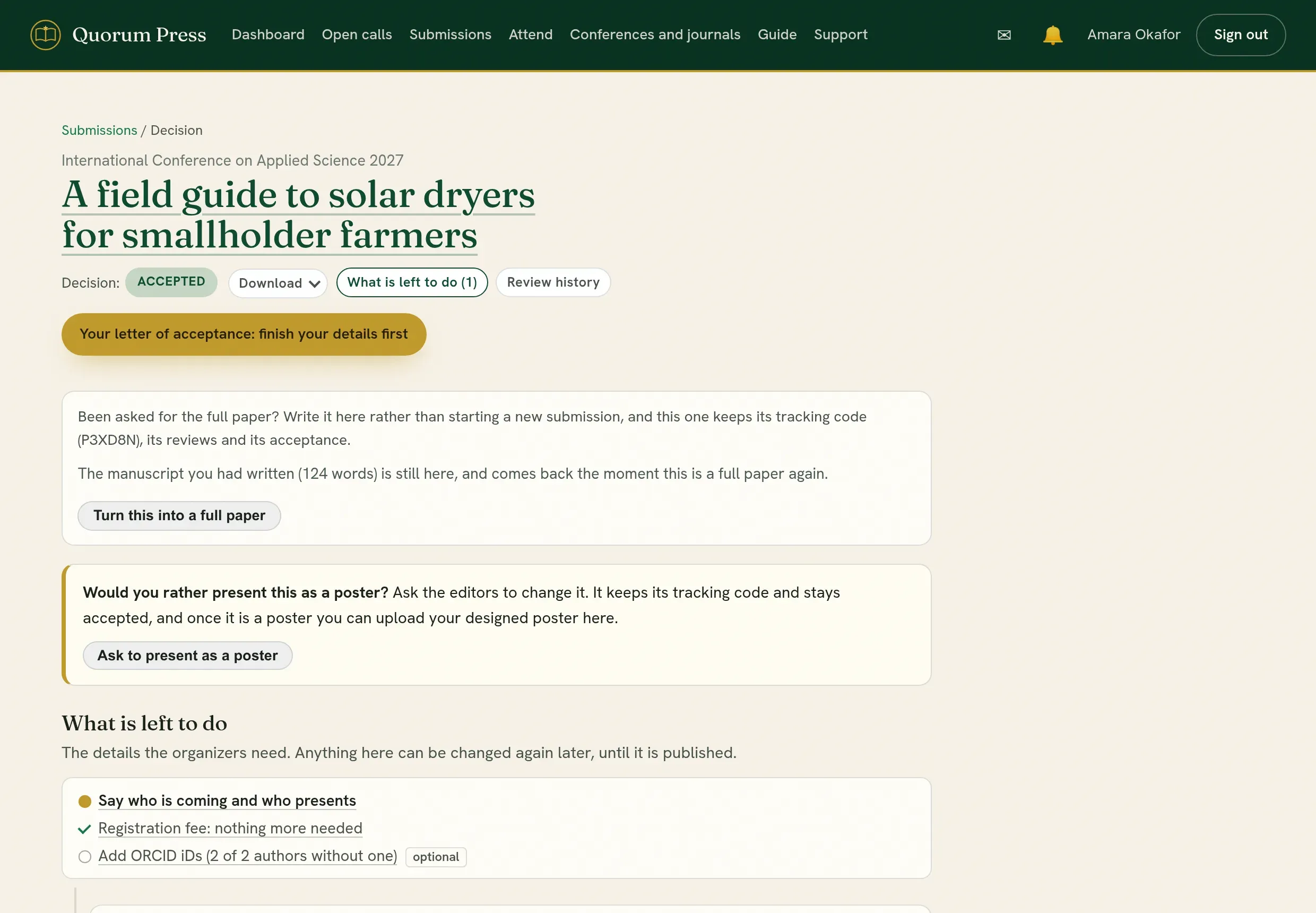
What is left to do
Section titled “What is left to do”-
Confirm each author’s name and title, as they should be printed.
-
Say how each author attends: in person or online.
-
Say who presents. If nobody will present, say so. That is a real answer, and the organizers stop asking.
-
Add an ORCID for authors who have one.
-
Settle the registration fee, if the conference has one. See Registration fee and payment.
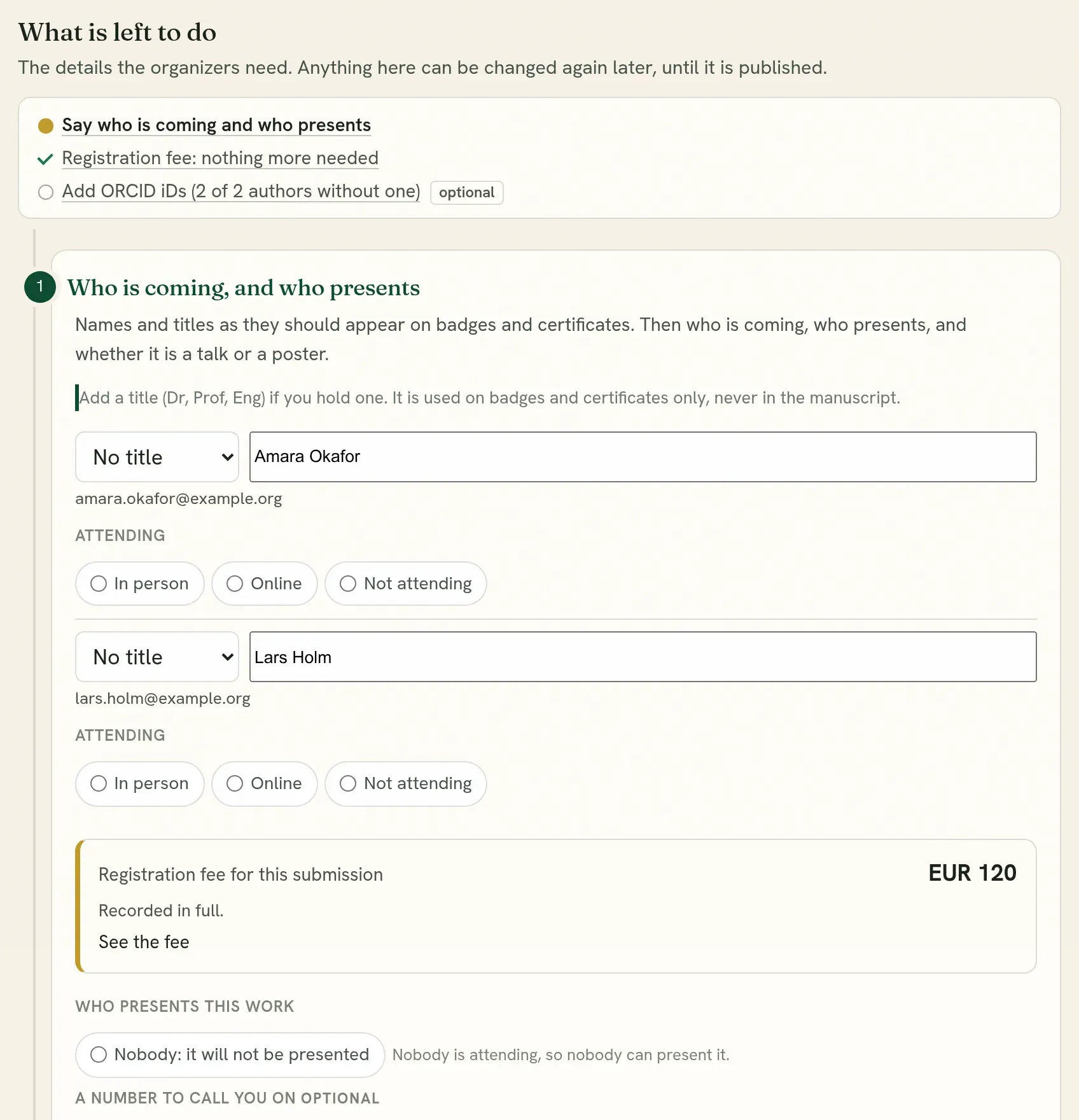
These are set by a corresponding author. Any other author can still say whether they attend themselves: the submission’s page asks them Are you attending?, and their answer changes nothing else.
Where the conference charges a fee, Registration fee for this submission sits under the list of authors and shows the amount for the answers as they stand. It changes when you change who is coming or who presents, so you see the effect at once. The full sum and the payment are further down, under The registration fee.
Each answer is saved as you give it. These details feed the book of abstracts, the programme, your badge and your certificate, so check the spelling of names.
Changing how it is presented, once it is in the programme
Section titled “Changing how it is presented, once it is in the programme”Once your work has a place in the programme, a change to who presents it, whether they come in person or present online, whether it is a talk or a poster, or that nobody will present it, may need the organizers: moving it can leave a room without its speaker. Where the conference asks for that, the change is not saved. Right where you made it you see what you would ask for, can add why, and press Send to the organizers. Your answers stay as they were until they accept; you are told either way, with their note. Until they answer you can send something else instead, or Take it back. Names, titles and a co-author’s own attendance are still yours to change.
Somebody attending with your submission
Section titled “Somebody attending with your submission”A person with no submission of their own can register to attend and give your submission’s tracking code. Corresponding authors then see Attending with this submission on the submission’s page.
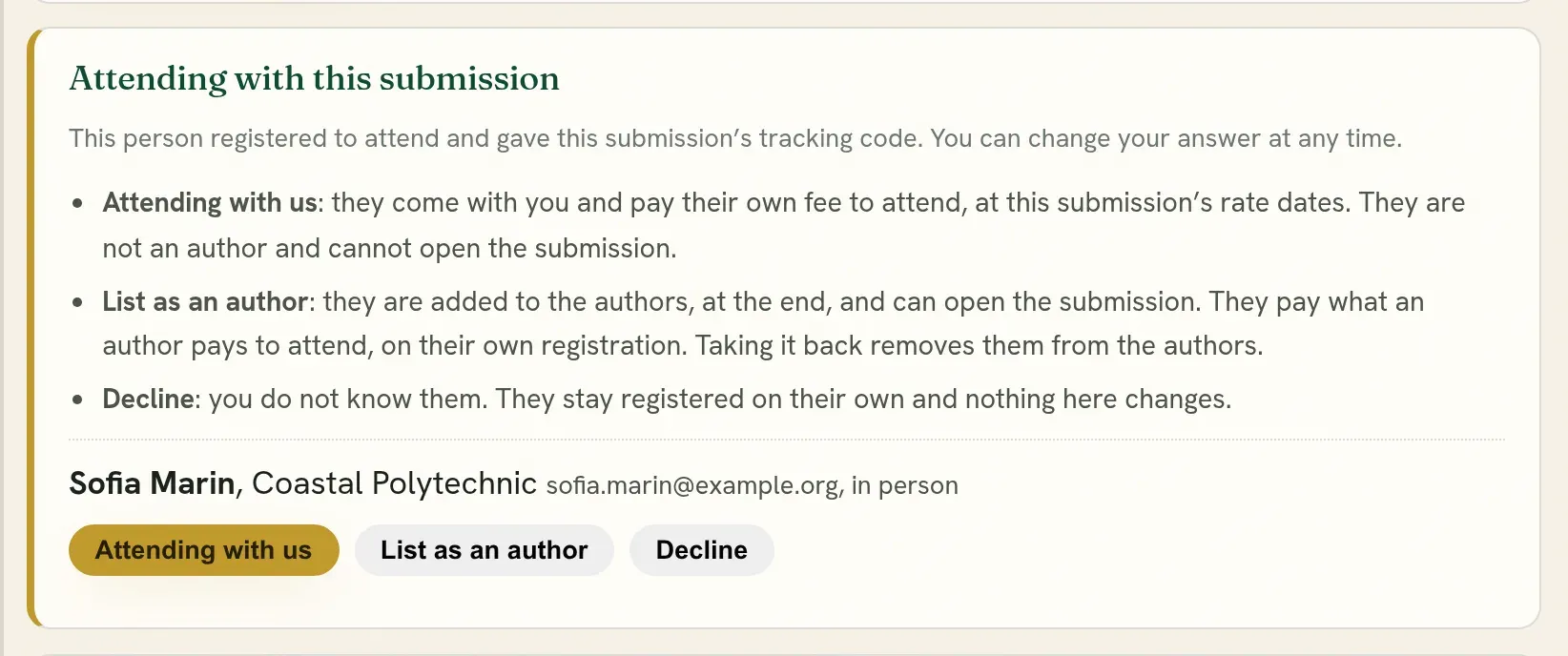
- Attending with us if they come with you. They pay their own fee to attend, at your submission’s rate dates. They are not an author and cannot open the submission.
- List as an author if they should be one of the authors. They are added at the end of the author list, can open the submission, and pay what an author pays to attend. Taking it back removes them from the authors.
- Decline if you do not know them. They stay registered on their own, and nothing about your submission changes.
Nothing waits for your answer, and you can change it. The organizers can also take somebody back off the authors if it was done by mistake.
Your letter of acceptance
Section titled “Your letter of acceptance”Download it from the top of the decision page, or from the Download menu.
- It is ready once you have confirmed the details above, because it names the authors as you confirmed them.
- It never depends on a fee.
- It names the kind that was accepted: an abstract, a poster or a full paper.
- If you later turn an accepted abstract into a full paper, the letter for the abstract stays available.
Downloads
Section titled “Downloads”The Download menu on the decision page holds your work as PDF, Word and LaTeX source, and the letter of acceptance.
See the accepted version opens the work as it was accepted, with any corrections the editors have made since: what will be printed. Its own Download menu gives that version as PDF, Word and LaTeX. If you are writing a full paper from an accepted abstract, it gives the abstract as accepted, not the full paper you are writing.
Correct a mistake in accepted work
Section titled “Correct a mistake in accepted work”After acceptance the text is locked. To correct something, write to the editors with Message the editorial team. They can reopen the parts that need correcting, and you see what was changed.
Choosing a time to present
Section titled “Choosing a time to present”If the conference lets presenters choose a slot, you are offered the open slots on the same page.
When it is published
Section titled “When it is published”Accepted work is published by the organizers when they are ready. It then has a public page, free to read, at an address you can cite.
If the editors send it back
Section titled “If the editors send it back”After acceptance the editors may still ask you for something. A request for corrections also reaches the corresponding authors by email. The status stays Accepted, so look for the mark on the row in your submissions: the row has a gold edge, a tag, a sentence saying what is asked for and by when, and a gold button. The same request is on your dashboard, under Needs your action.
| Tag | What it means | Button |
|---|---|---|
| Corrections asked for | The editors reopened parts of your work for you to correct. Only those parts can be changed. | Make the corrections |
| Corrections overdue | The same, past its date. | Make the corrections |
| Proofs to check | The editors sent the proofs. Read them and say they are right, or say what is wrong. | Check the proofs |
| Poster to upload | Your accepted work is a poster, the call asks every poster for its designed sheet, and yours has none yet. | Upload your poster |
| Corrections sent | You have sent your corrections, and they are with the editors. Nothing for you to do. |
Send your corrections
Section titled “Send your corrections”Corrections are sent the way a submission is: preview first, then send.
- Open the work and change the parts the editors reopened. Your changes save as you go.
- Use Preview your corrections at the top. Nothing is sent by it.
- Read the preview, which shows your work with the corrections in it. At the end of the page it says which parts you changed.
- There, send them with Send corrections to the editors. You can add a note for the editors first.
The editors then keep or undo each change. Your work stays accepted throughout.
The note at the top of the work, where the editors’ request is, also leads back to what was said about it: the reviews and the editors’ letter, and any passages the reviewers marked. They stay within reach while you correct and after you send.
Follow what happens after acceptance
Section titled “Follow what happens after acceptance”The history on your submission’s page does not stop at the decision. Under After acceptance it lists each step since, with its date: corrections the editors asked for and what they kept, corrections the editors made themselves, proofs sent and approved, publication, and the DOI. Beside the heading it says what the work is waiting on now. Steps by the editors are signed The editors.
Present an accepted abstract as a poster
Section titled “Present an accepted abstract as a poster”If your abstract was accepted and you would rather present a poster, you do not need a new submission.
- Open your accepted abstract. Under the decision, press Ask to present as a poster, and confirm.
- The editors are sent the request in your name. Nothing changes until they agree.
- When they change it, you are told. It stays accepted, under the same tracking code, and the programme, the book and your certificate say poster.
- Your submission then has a step for your designed poster, where you can upload it.
The button shows only where the call accepts posters. If you do not see it, message the editors.
For every other change of kind, at any stage, see Change what your submission is.
Quorum PressOpen callsRead researchSomething missing or wrong here? Tell us