
Preview and submit
Only a corresponding author can submit. Nothing is sent until you press Submit for review.
-
In the editor, press Preview.
The preview is exactly what the reviewers will read. Nothing has been sent yet, and the top of the page says so.
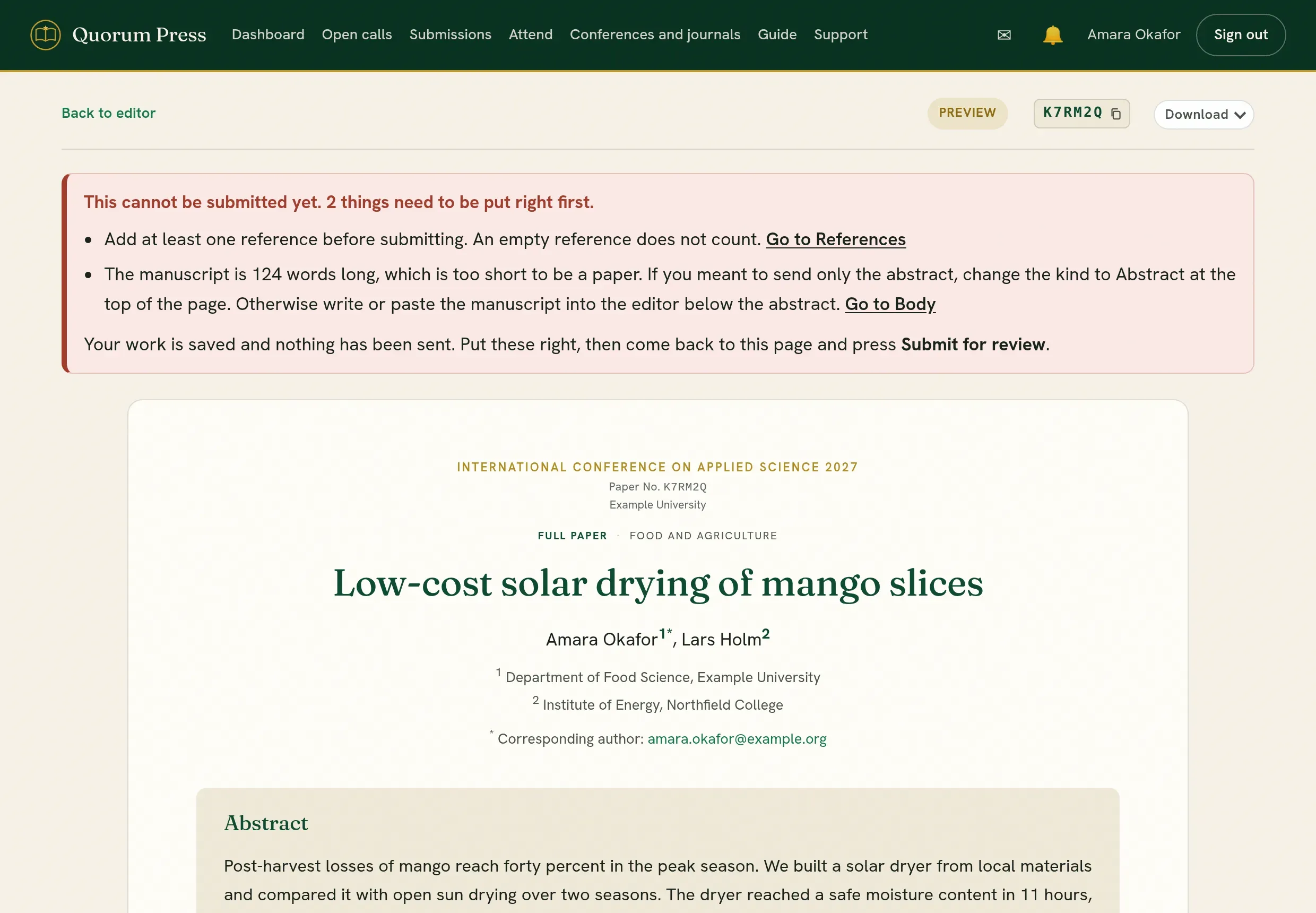
-
Read it through. Check the title, the authors and their order, the figures, and that every citation leads to a reference.
-
At the end of the preview, fill in the declarations. All of them are optional: fill in what applies to your work and leave the rest blank.
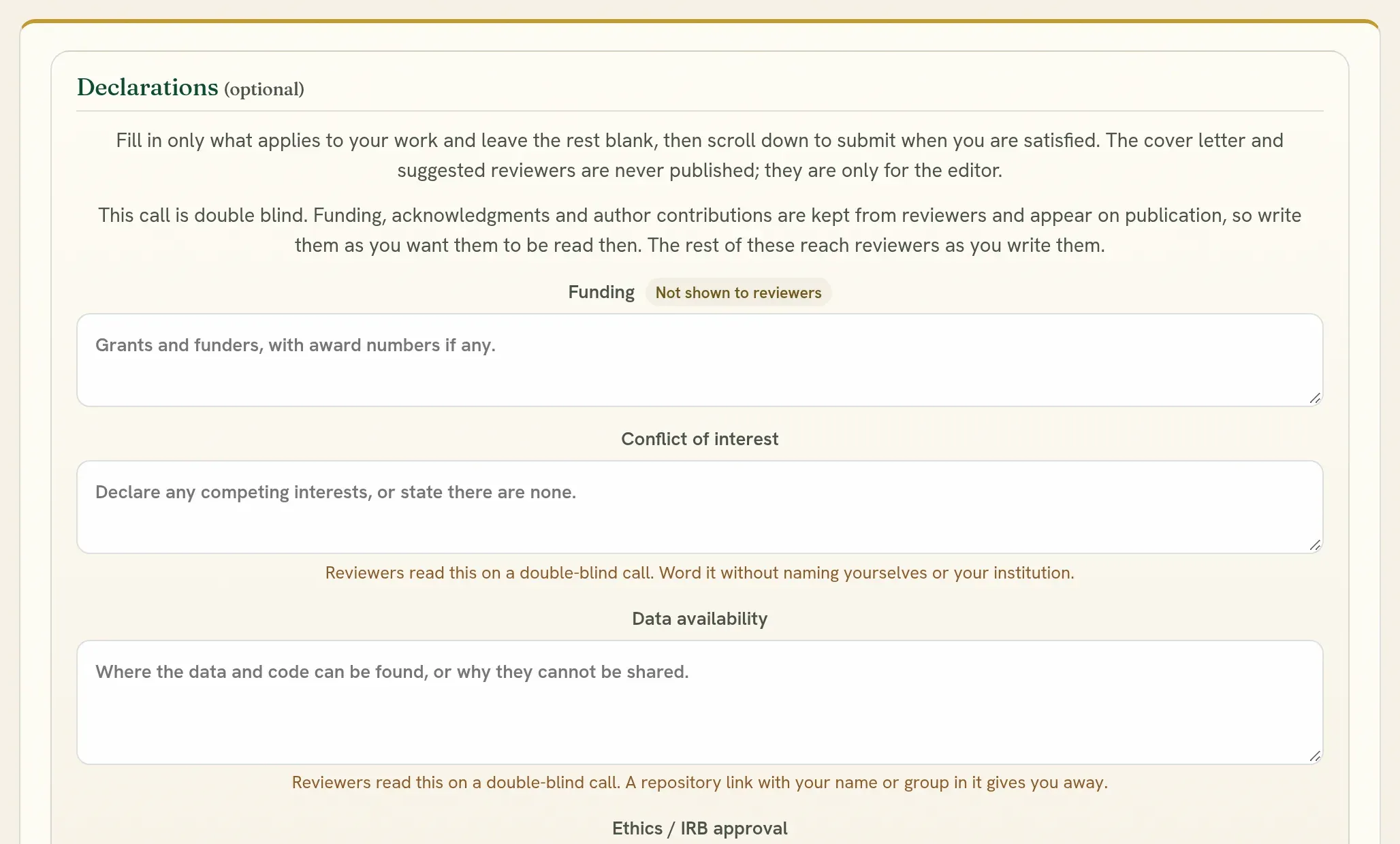
Declaration Who sees it Funding, acknowledgments, author contributions On a double-blind call these are kept from reviewers, and appear when the work is published. Conflict of interest, data availability, ethics approval Reviewers read these. On a double-blind call, word them without naming yourselves or your institution. Cover letter The editors only. Never published. Suggested reviewers The editors only. Never published. -
Press Submit for review.
The panel shows where it goes: the call’s full name, who runs it, its dates, and its address, which opens in a new tab to check. If the same organization has another call open, or you have a draft for a different call, it says so. Tick the box that names the call, then press Submit for review again. If it is not the call you meant, press Cancel: nothing is sent.
Every author must have their own email address.
-
You see a confirmation, and all the authors are told by email.
If it cannot be submitted yet
Section titled “If it cannot be submitted yet”When something stops the submission, the preview says so in a red box, at the top of the page and where the button would be. The box lists everything to put right, with a link to each place, and the button is not shown until the list is empty.
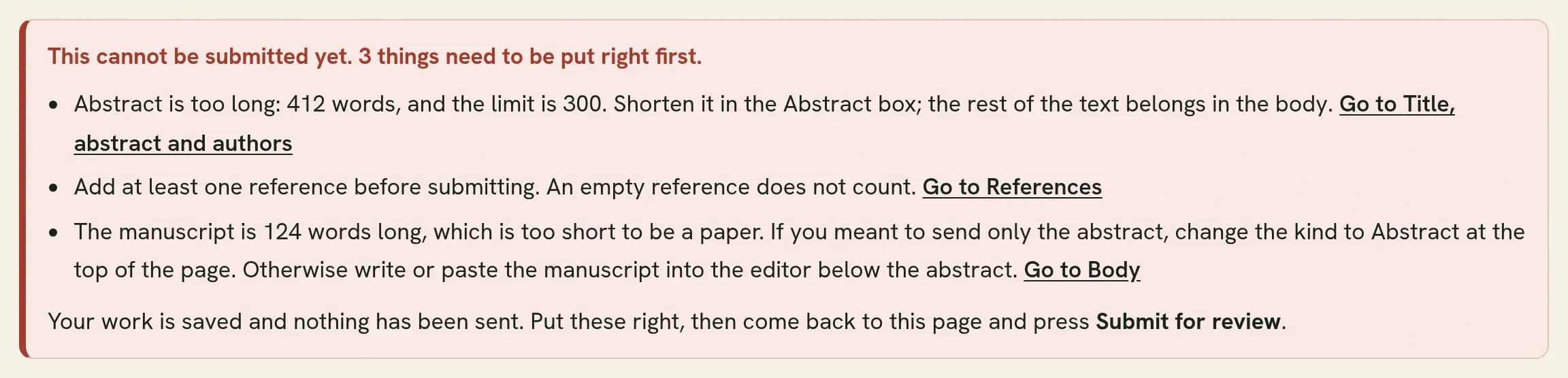
Common causes:
- The abstract is longer than the limit, or too short. The box gives your word count and the limit.
- Fewer than three keywords.
- A full paper with no reference, or with no text in the body.
- An author with no name, affiliation or email address.
Put them right in the editor, go back to Preview, and press Submit for review. Your work is saved while you do this.
If you press the button and a message says it did not reach the server, your internet connection dropped. Nothing was sent. Check the connection and press the button again.
The same button, in each situation
Section titled “The same button, in each situation”Every kind of sending ends the same way: Preview, then the button at the end of that page. It is Submit for review, except for corrections to accepted work. What differs is what comes before it.
| Situation | What is different | Read |
|---|---|---|
| A first submission | Nothing. Follow the steps above. | This page |
| The editors sent it back without review | The note at the top of the submission says why. Change what they raised, then send it again. | Sent back, withdrawn or discarded |
| The editors asked for a revision | You answer each reviewer at the end of the preview before you submit. | Revise and resubmit |
| Your abstract was accepted and the call asks for the full paper | You write the full paper in the same submission and send it as a new round. | From abstract to full paper |
| The editors reopened accepted work for corrections | The button at the end of the preview sends your corrections. The work stays accepted. | After acceptance |
Downloads
Section titled “Downloads”The Download button at the top of the preview gives your work at any time, before or after you submit. Choose the form you want:
| Form | Use it to |
|---|---|
| Read or print. | |
| Word (DOCX) | Edit in a word processor. |
| LaTeX (ZIP) | Carry on in LaTeX. The zip holds main.tex, your figures and a references.bib, and compiles as it is, on your computer or as a new project on Overleaf. |
In the LaTeX source your formulas are exactly as you typed them. Figure and table captions and the citations in the text keep the numbers they have on the page. Symbols you typed as themselves, such as a Greek letter or a minus sign, are set up so the file compiles with pdfLaTeX. A picture in a format LaTeX cannot place, such as WebP, is in the zip with a note saying where it belongs. The README.txt in the zip lists anything that needs your attention.
The same button is on the decision page. Only the authors and the editors can download these files.
After you submit
Section titled “After you submit”- The submission is locked for editing while it is under review.
- Its status changes to Submitted, then Under review. See Follow progress.
- You can write to the editors with Message the editorial team.
A mistake after submitting
Section titled “A mistake after submitting”Do not start a second submission. Write to the editors with Message the editorial team and say what needs to change. They can open it for you, or send it back.
Quorum PressOpen callsRead researchSomething missing or wrong here? Tell us