
The editorial board
Editorial is where an editor works. It lists every submission of the conferences and journals you edit, each with its next step.
Narrow the list
Section titled “Narrow the list”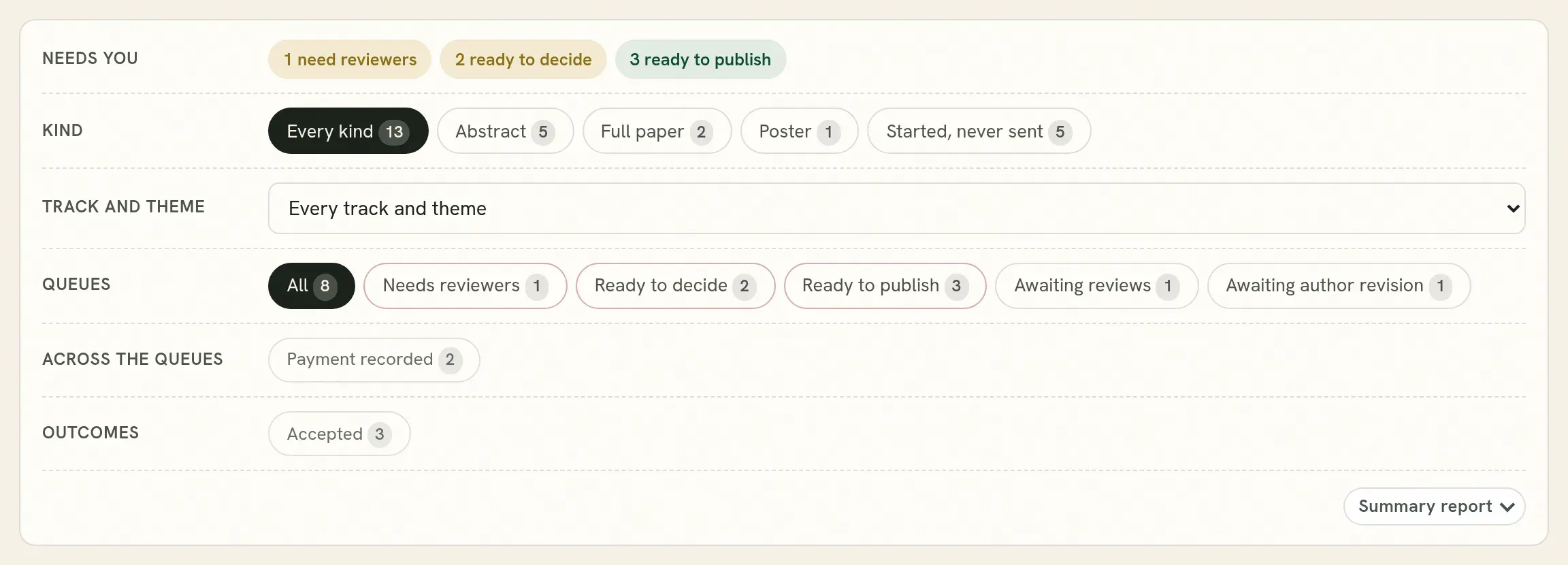
| Row | What it does |
|---|---|
| Conference or journal | Chooses which of your events you are looking at. Shown when you edit more than one. |
| Needs you | What is waiting for an editor now: needing reviewers, ready to decide, ready to publish. |
| Kind | Abstracts, full papers, posters. Started, never sent shows drafts that authors began and did not submit. |
| Track and theme | One track. |
| Queues | Where each submission is in review: needs reviewers, awaiting reviews, ready to decide, awaiting the authors’ revision, ready to publish. |
| Across the queues | Things that cut across: the same work sent more than once, payment recorded, messages awaiting a reply, asked to withdraw. |
| Outcomes | Accepted, rejected, withdrawn. |
Press a filter to apply it. Press it again to take it off. Each filter shows how many submissions it holds.
The list
Section titled “The list”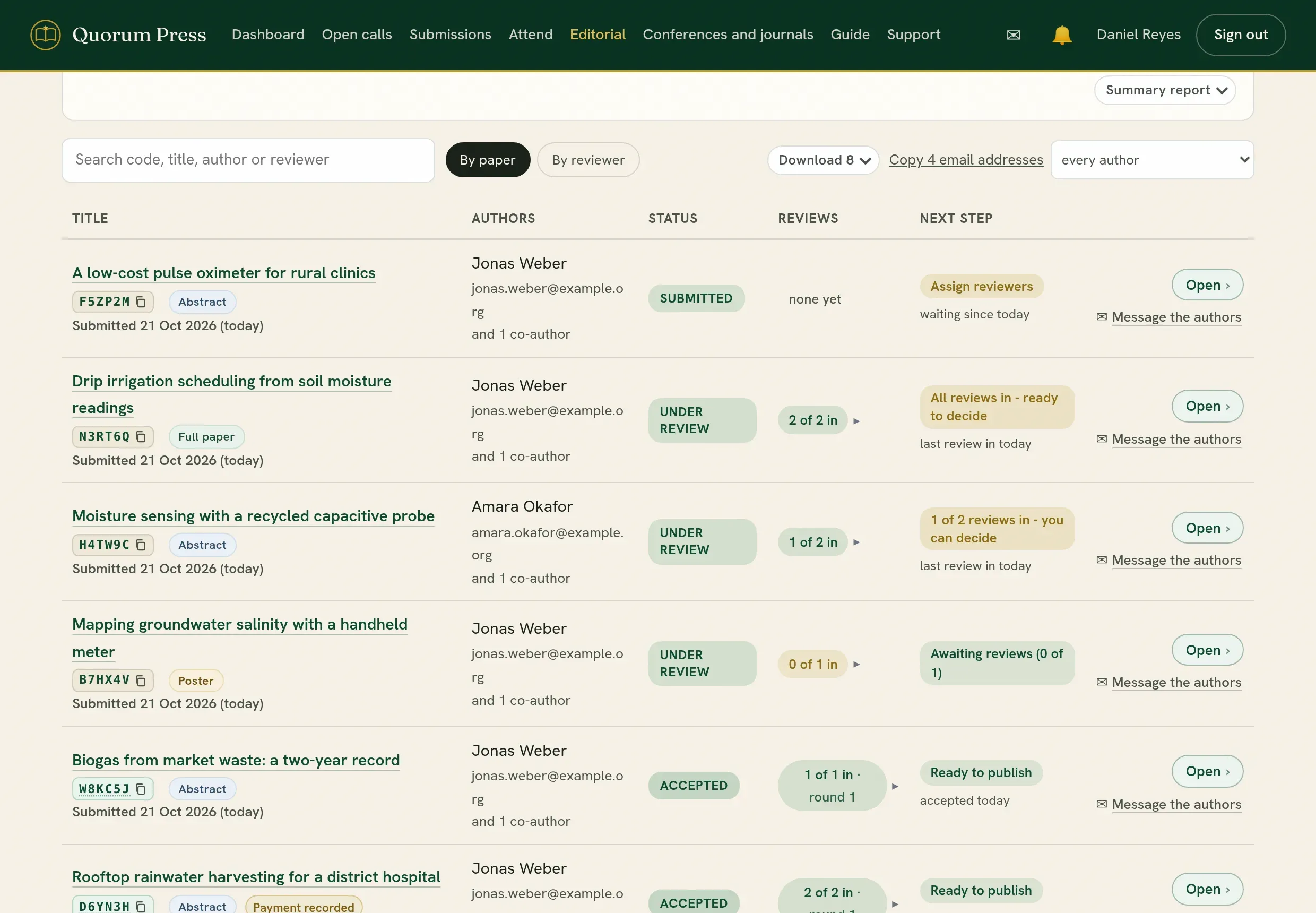
| Column | What it shows |
|---|---|
| Title | The title, the tracking code, the kind, and the date it was submitted. A mark shows when a payment has been recorded. |
| Authors | The corresponding author and how many co-authors. |
| Status | Submitted, under review, accepted and so on. |
| Reviews | How many reviews are in, of how many asked for. Press it to see who. |
| Next step | What the submission is waiting for, and for how long. |
- Open opens the submission.
- Message the authors opens the conversation with its authors, with a count of what is unread.
When a submission arrives
Section titled “When a submission arrives”A new submission appears under Needs reviewers. Before you assign anybody, look at it yourself for five minutes: does it fit the call, is it complete, and are its authors written properly? See Check a submission before review.
Find one submission
Section titled “Find one submission”Type in the search box: a tracking code, a word of the title, an author’s name or email, a reviewer’s name, or an affiliation.
By paper or by reviewer
Section titled “By paper or by reviewer”By reviewer turns the list around: each reviewer, with what they were given, what they have sent and what is late. Use it to see who is overloaded and who to remind.
The same work sent more than once
Section titled “The same work sent more than once”Authors sometimes send the same work twice, for example as an abstract and again as a full paper. The board marks these and names the other copies, so that you can ask the authors which one stands. See Send back, hold or delete.
Download
Section titled “Download”- Download gives the list you are looking at, with the filters applied, as a spreadsheet.
- Copy email addresses copies the addresses of the authors in the list, for a message to all of them.
- Summary report gives the figures of the whole call as a PDF or a spreadsheet. See Downloads and reports.
Quorum PressOpen callsRead researchSomething missing or wrong here? Tell us