
References and citations
The reference list is kept in the References panel, not typed at the end of your text. That lets every citation become a link to its reference, and lets the list be printed in the style you choose.
Build the list
Section titled “Build the list”-
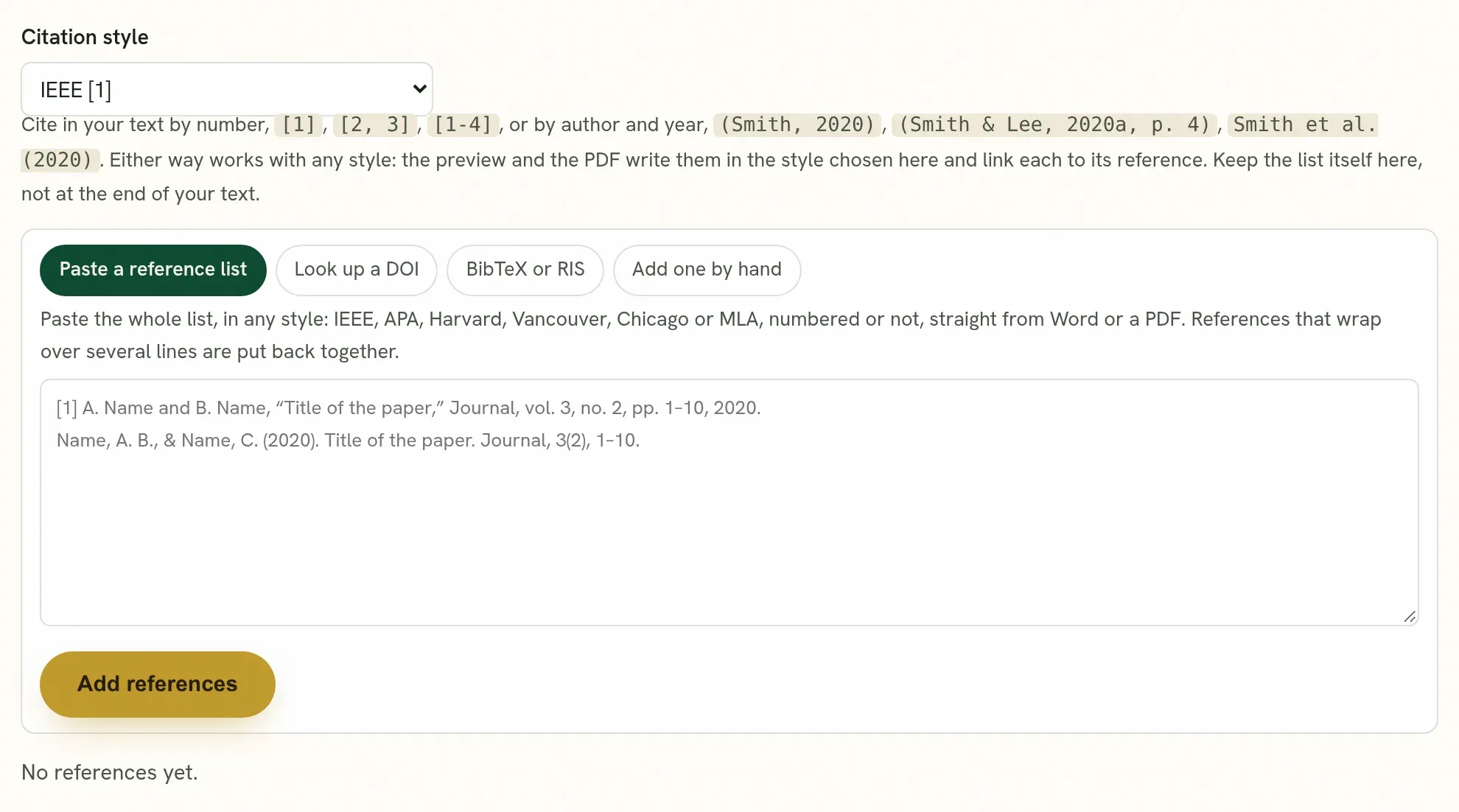
Open the References panel in the editor.
-
Paste your whole list, in any common style: IEEE, APA, Harvard, Vancouver, Chicago, MLA, BibTeX or RIS.
Each reference is read and split into its parts. Or look one up by its DOI.
-
Read the list. A reference that could not be read fully is marked, with the reason. Correct it in place.
If you import a Word file, its reference list is moved into the panel for you.
Cite in the text
Section titled “Cite in the text”Write citations the way you normally do:
| Style | Example |
|---|---|
| Numbered | [1], [2, 3], [4-6] |
| Author and year | (Smith, 2020) or Smith et al. (2020) |
Each citation is matched to a reference in the panel.
Read the checks
Section titled “Read the checks”The panel tells you two things before you submit:
- A citation that matches no reference. You cited something that is not in the list. Add it, or correct the citation.
- A reference that is never cited. It is in the list but nowhere in the text. Cite it, or remove it.
The same marks appear in the text while you write.
How it is printed
Section titled “How it is printed”In the preview and in the downloads, every citation is a link to its reference, and the list is printed in the style you pick.
| Style you pick | How the list is printed |
|---|---|
| IEEE | Numbered in brackets, [1], [2], in the order of your list, the same way the text cites them. |
| Vancouver | Numbered 1., 2., in the order of your list. |
| APA, Harvard, Chicago, MLA | No numbers. In order of the first author’s surname, then the year, with each entry’s later lines set in. |
You do not type the numbers or put the list in order yourself: both follow the style. If you change the style, the list and the citations in the text change with it, and nothing you entered is lost. The preview, the PDF, the Word file and the LaTeX source all print it the same way.
Quorum PressOpen callsRead researchSomething missing or wrong here? Tell us