
Authors and co-authors
Add every author
Section titled “Add every author”In the Authors part of the submission, add one entry for each author, in the order they should be printed.
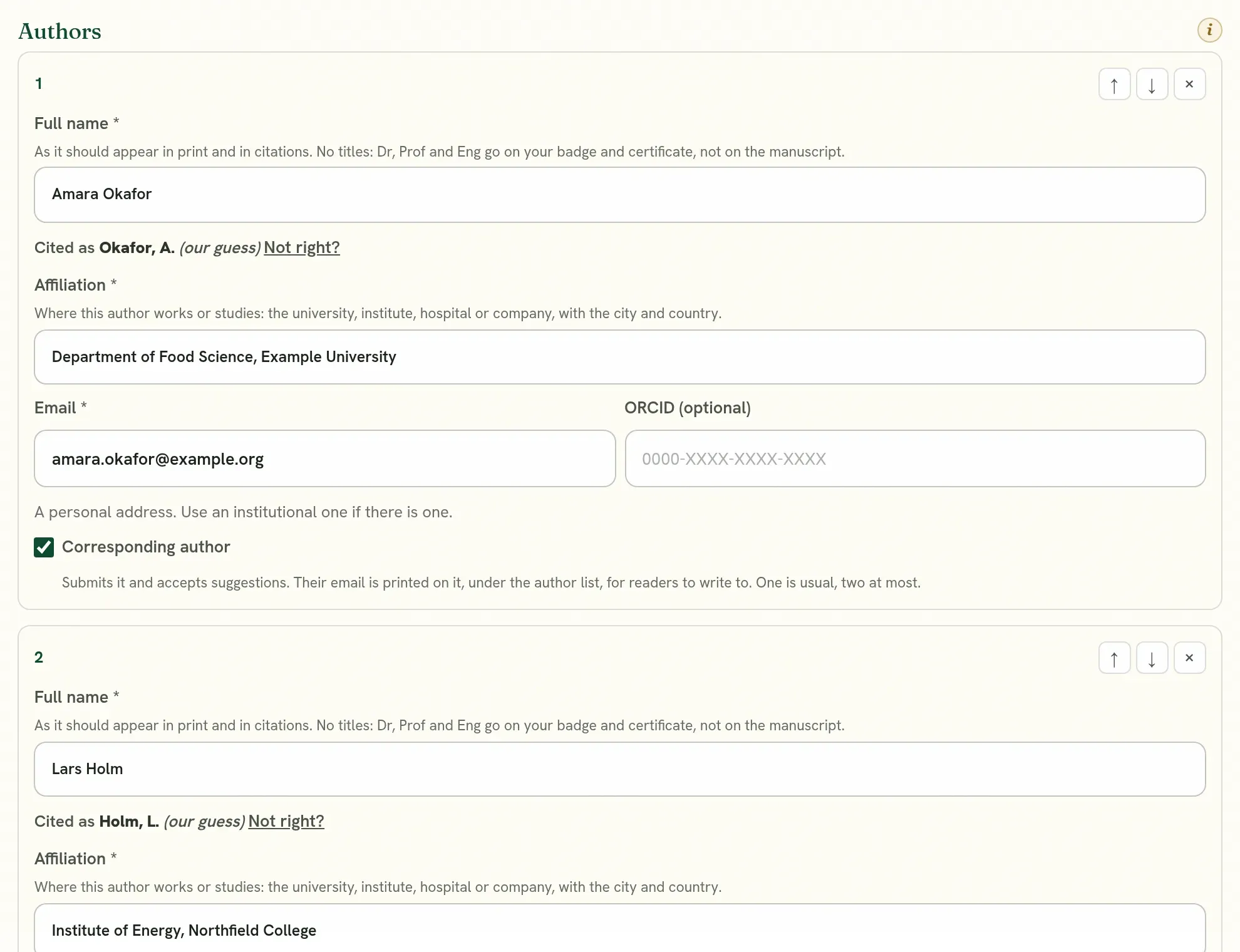
| Field | What to enter |
|---|---|
| Full name | One person’s name, as it should appear in print and in citations. No titles such as Dr or Prof: those go on the badge and certificate. Never several names in one field. |
| That person’s own address. Each author needs their own. | |
| Affiliation | Where they work or study: the university, institute, hospital or company, with the city and country. |
| ORCID | Their ORCID iD, if they have one. |
Each author needs their own email because that is how the submission reaches their account. You do not have to send them anything: once a co-author has an account under the address you entered, the submission is on their dashboard.
Which email address to use
Section titled “Which email address to use”Two things save most of the trouble authors run into.
Use each author’s institutional address, where they have one: the address their university, institute, hospital or company gave them.
- It shows where the work was done, beside the affiliation. Readers, editors and indexes trust it more than a personal mailbox.
- Editors and organizers reach the right person, and their messages are less likely to be treated as spam.
- Some conferences give priority to institutional addresses, or ask for them. The call says so.
- The form tells you when an address looks personal. It is a reminder, not a refusal: an author with no institutional address may use a personal one.
Use one address for one person, everywhere. The address an author is listed with on the submission must be the address of their account. Quorum Press knows a person by their email address, so two addresses are two people to it.
| If the addresses differ | What goes wrong |
|---|---|
| A co-author signs up with another address | The submission is not on their dashboard, and they cannot open it, suggest changes or answer for themselves. |
| An author is on two submissions under two addresses | Where a conference charges each author who attends, they are charged twice. |
| The certificate is released | It may not be under Attend in their account, because it is kept under the other address. |
| They add an ORCID to their profile | It does not reach the submission. |
So, before you add your co-authors, ask each of them which address they use, or will use, on Quorum Press, and enter that one.
If you were listed with an address that is not your account’s
Section titled “If you were listed with an address that is not your account’s”Either of these puts it right. Nothing is lost.
- Ask the corresponding author to change the address on the submission to the one your account uses. It takes effect at once. If the submission can no longer be edited, write to the editors with Message the editorial team.
- Or change your account’s address to the one you were listed with: open Your profile and enter it. A confirmation is sent to the new address.
Do not create a second account. See One account, not two.
If your institutional address will end
Section titled “If your institutional address will end”A student who graduates, or somebody who changes employer, loses the address. Use the institutional address while the work is under way, since it is the one that belongs on the paper. When you move, change your account’s address in your profile, and your submissions, certificates and reviewing record stay with you. The address printed on a published paper stays as it was at the time, which is correct: it is where the work was done.
The corresponding author
Section titled “The corresponding author”The corresponding author manages the submission and is the one who submits it.
- Whoever starts the submission is corresponding by default.
- They can name another author as corresponding, as well as or in place of themselves.
- A person who is named has to accept the role. They are asked when they open the submission. Until they accept, the person who started it keeps control.
Presenter and attendance
Section titled “Presenter and attendance”For a conference, you also say which author presents, and how each author attends: in person or online. You can leave this until the work is accepted. See After acceptance.
Working on the text together
Section titled “Working on the text together”| Who | What they can do |
|---|---|
| Corresponding author | Edit the text directly, accept or reject suggestions, submit. |
| Other co-authors | Open the submission and make suggestions. A suggestion is saved under their name. |
A corresponding author goes through suggestions one change at a time, with Previous and Next to move between them. Each choice is saved at once.
The Who changed what panel lists who edited, who suggested, who accepted and who submitted.
If an author’s details change
Section titled “If an author’s details change”Change them in the submission while it can still be edited. After acceptance, name and title corrections are made on the decision page. An ORCID added to a person’s profile reaches their submissions by itself.
Quorum PressOpen callsRead researchSomething missing or wrong here? Tell us