
Your profile and ORCID
Open Your profile. What you enter here is filled in for you on every submission you start.
What to fill in
Section titled “What to fill in”| Field | Why it matters |
|---|---|
| Name | Written as it should appear on your work. |
| Affiliation | Your institution, written in full. It appears under your name on published work and in the book of abstracts. |
| ORCID | Your ORCID iD. It is added to your submissions, including those already under review. |
| Highest degree and areas of expertise | Editors use these to choose reviewers. |
| Available to review | Tick this to join the community pool, so editors of any conference or journal can invite you. |
An ORCID iD is a free, permanent number that identifies you as a researcher, whatever your name or institution. If you do not have one, register at orcid.org.
When you add or change your ORCID in your profile, it reaches your submissions where you are listed with the same email address.
News of calls and events
Section titled “News of calls and events”Under News of calls and events, press Subscribe to receive an email when a new call for papers, conference or workshop opens. It uses your account’s email address, and Unsubscribe in the same place stops it.
A public profile
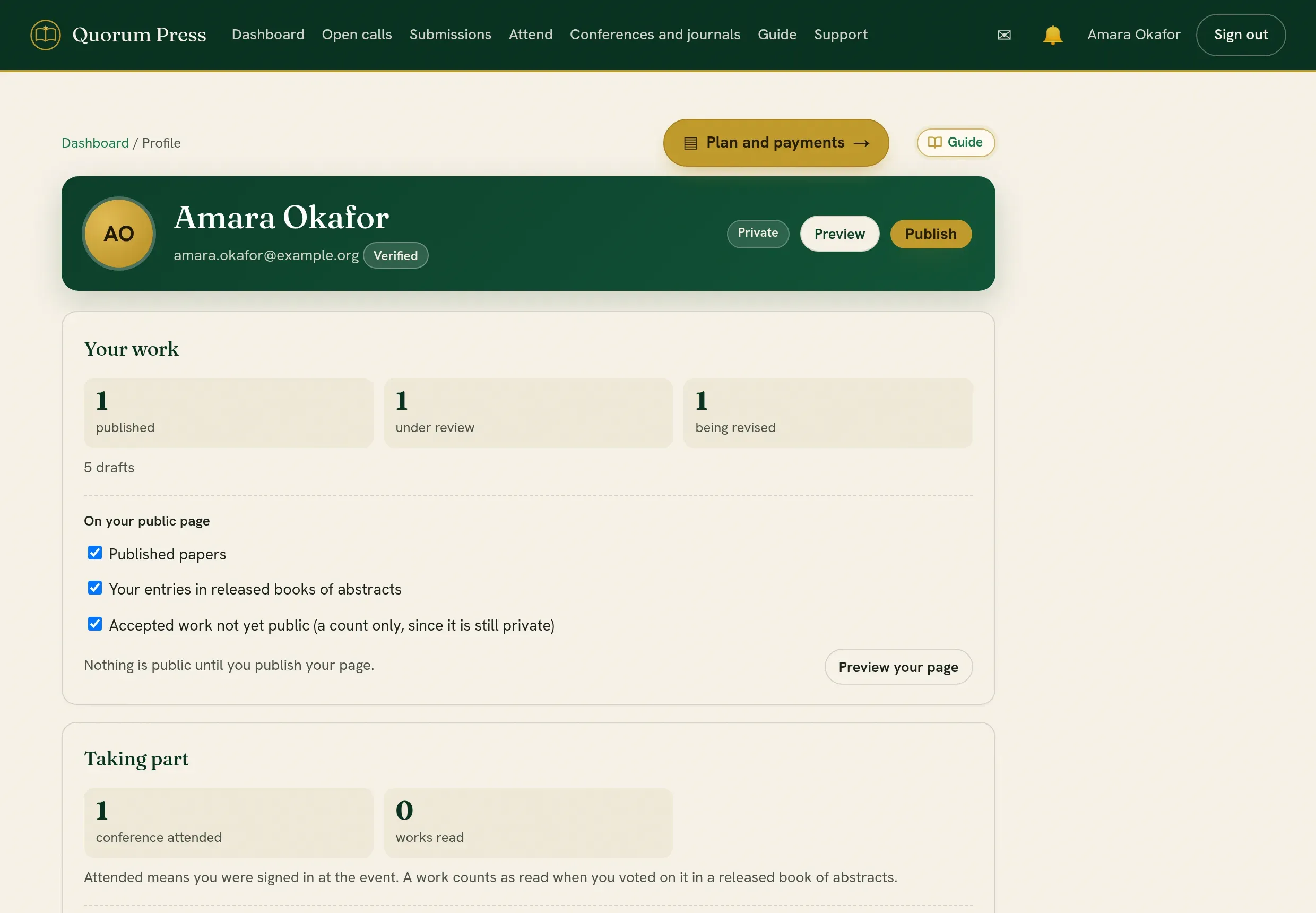
Section titled “A public profile”You can choose to have a public page that lists your published work, and, if you wish, how much reviewing you have done. It is off until you turn it on, and it never shows your email address.
Taking part
Section titled “Taking part”Under Taking part, your profile counts the conferences you attended and the works you read. Neither is on your public page until you tick it.
| Tick | What your public page then shows |
|---|---|
| Conferences you attended | The conferences where you checked in, each with its year. |
| Works you read, by title | The entries you voted on in released books of abstracts, each marked Read. Nothing says how you voted. |
| Also mark the ones you voted for | The same list, with Voted for on the entries you voted for. The others stay Read. |
A work counts as read when you voted on it, because a vote is cast from the entry itself.
Quorum PressOpen callsRead researchSomething missing or wrong here? Tell us