
Complete a review
-
Open Reviews and press Review beside the submission. The link in the invitation email leads to the same place.
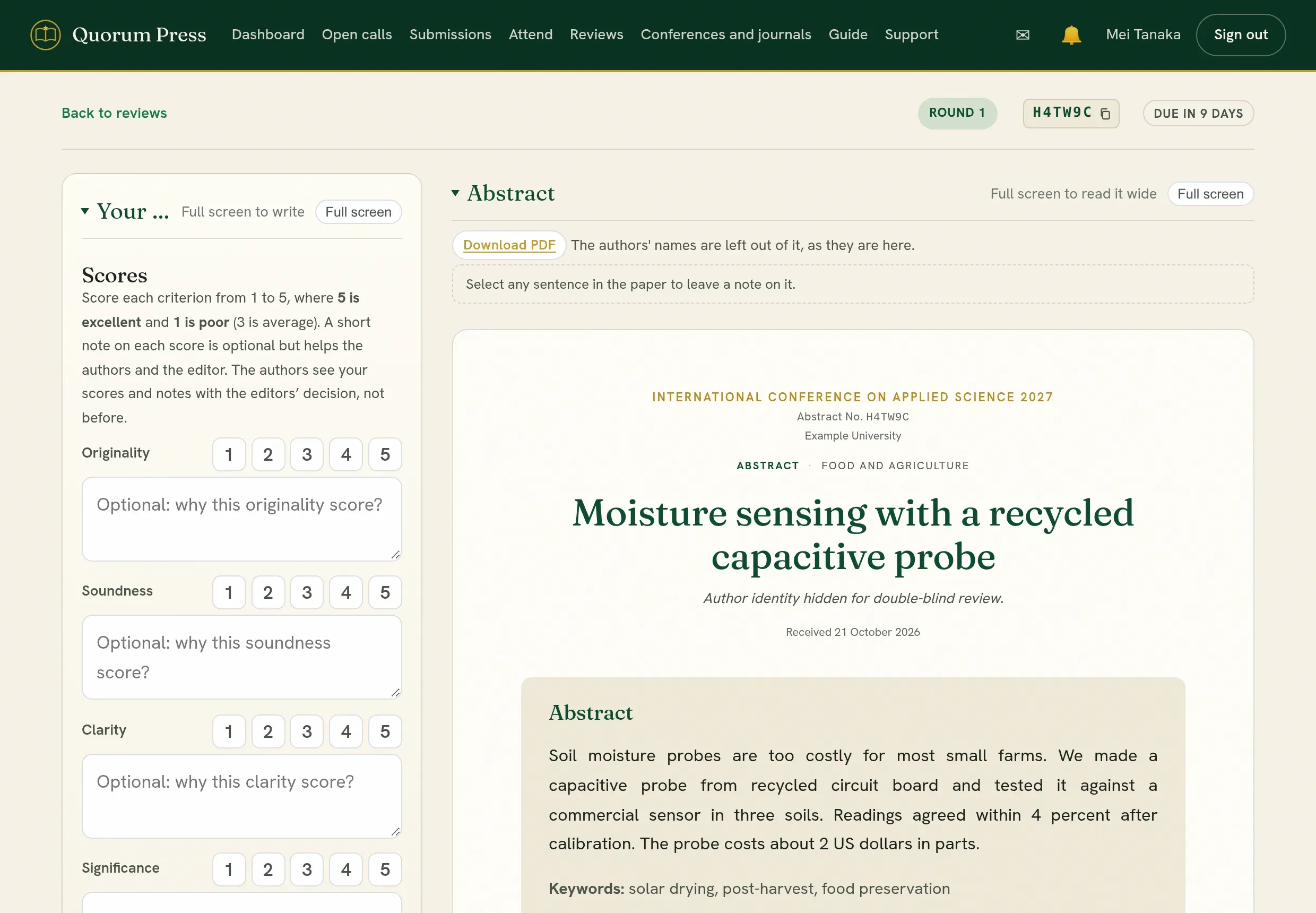
The top of the page shows the round, the manuscript’s tracking code and how many days are left.
The tracking code is a short code such as
K7RM2Qthat names this one manuscript. It is also on each line of your list and in the email that invited you. When the editors write to you about a manuscript they give its code. To find it, type the code in the Find box on Reviews. Press the small mark beside a code to copy it. The code says nothing about who the authors are. -
Read the submission. It is on the right; your review form is on the left. Either side can be given the whole window with Full screen. Download PDF gives a copy to read away from the screen.
-
Leave notes on passages. Select any sentence in the submission to attach a note to it. The passage is highlighted and your note is kept beside it. Your notes go to the editors and the authors with your review. The submission itself is never changed.
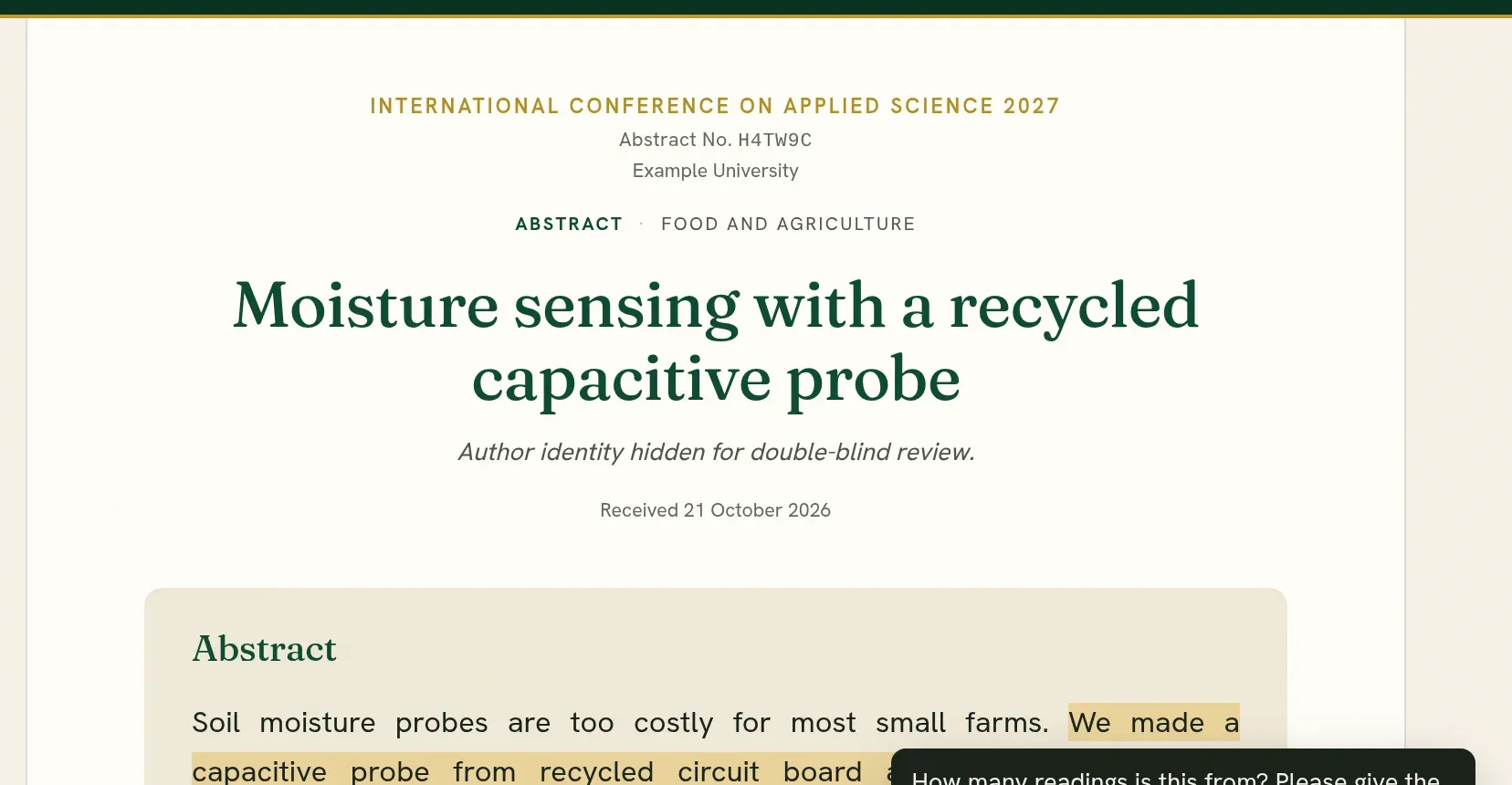
Use a note for something about one place: a number that does not match a table, a sentence you could not follow, a claim that needs a reference. Keep what is about the whole work for your comments.
To change or take away a note, point at its highlight, or tap it on a phone. A small card shows the note with Edit and Remove under it. A note removed by mistake can be put back with Undo, which shows for a few seconds. The same two are beside each note in the list under the submission.
-
Score each criterion from 1 to 5.
Criterion The question Originality Is it new? Soundness Are the methods and the reasoning right? Clarity Is it well written and well organised? Significance Does it matter to the field? 5 is excellent, 3 is average, 1 is poor. A short note on each score is optional and useful: one sentence that says why you gave it. All four scores are needed before the review can be sent.
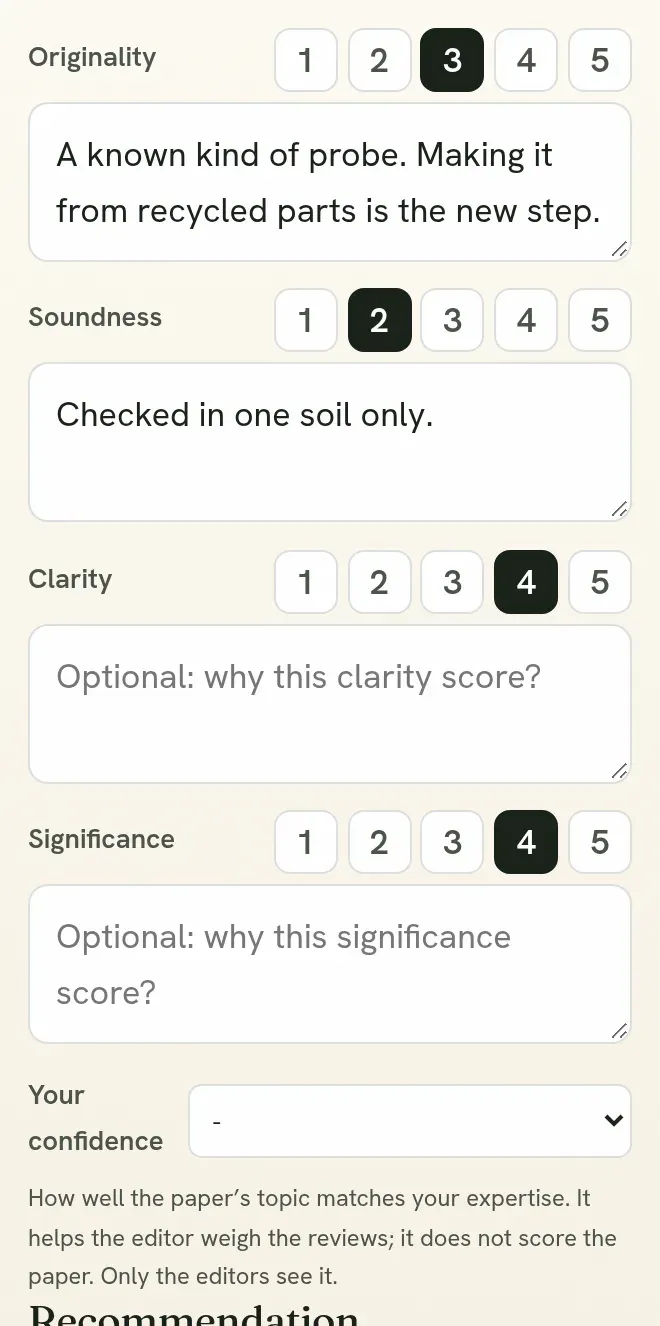
See what each score means for how to choose between a 2, a 3 and a 4.
-
Write your comments to the authors. The strengths, the weaknesses, and what would improve the work. See Write a good review.
You can start from a template. Choosing one sets the matching recommendation, and you can edit it into what you want to say.
-
Add comments for the editors only, if there is something the authors should not read.
-
Set your confidence: how well the topic matches your expertise, from 1 - Educated guess (outside my area) to 5 - Expert (I know this area well). It helps the editors weigh the reviews. It does not score the submission, and a low confidence is an honest answer, not a bad one.
-
Choose a recommendation and send the review.
Recommendation Meaning Accept Ready as it is, or with trivial corrections. Minor revision Good work that needs small, clear changes. Major revision Could be accepted after substantial changes. Reject Not suitable, and a revision would not make it so.
Saving
Section titled “Saving”Your review saves as you write. You can close the page and come back before the due date.
After you send it
Section titled “After you send it”The submission moves to Submitted in your list, with Your review to read what you wrote. The editors decide when the reviews are in. You are not told the decision unless the authors revise and you are asked to look again.
If you sent it and something is wrong
Section titled “If you sent it and something is wrong”While the editors have not recorded their decision, you can take a sent review back. Open it from Submitted on Reviews and press Take it back to change it.
- Your review opens again with everything you wrote still in it. Change it and send it again.
- The editors are told you took it back. It is not counted until you send it again.
- The authors have not seen it. They see reviews only with the editors’ decision.
- The due date stays as it was.
Once the editors have decided, your review has been used and stays as you sent it. If something in it is wrong then, message the editorial team.
If you need more time
Section titled “If you need more time”Tell the editor before the due date. A late review holds up the authors and every other reviewer.
Quorum PressOpen callsRead researchSomething missing or wrong here? Tell us