
Assign reviewers
Open a submission from the editorial board. Reviewers are assigned under Reviews, on the left. The submission is on the right.
Before you assign anybody, check the submission. Work that does not fit the call, or is missing something, should go back to its authors and not out to reviewers.
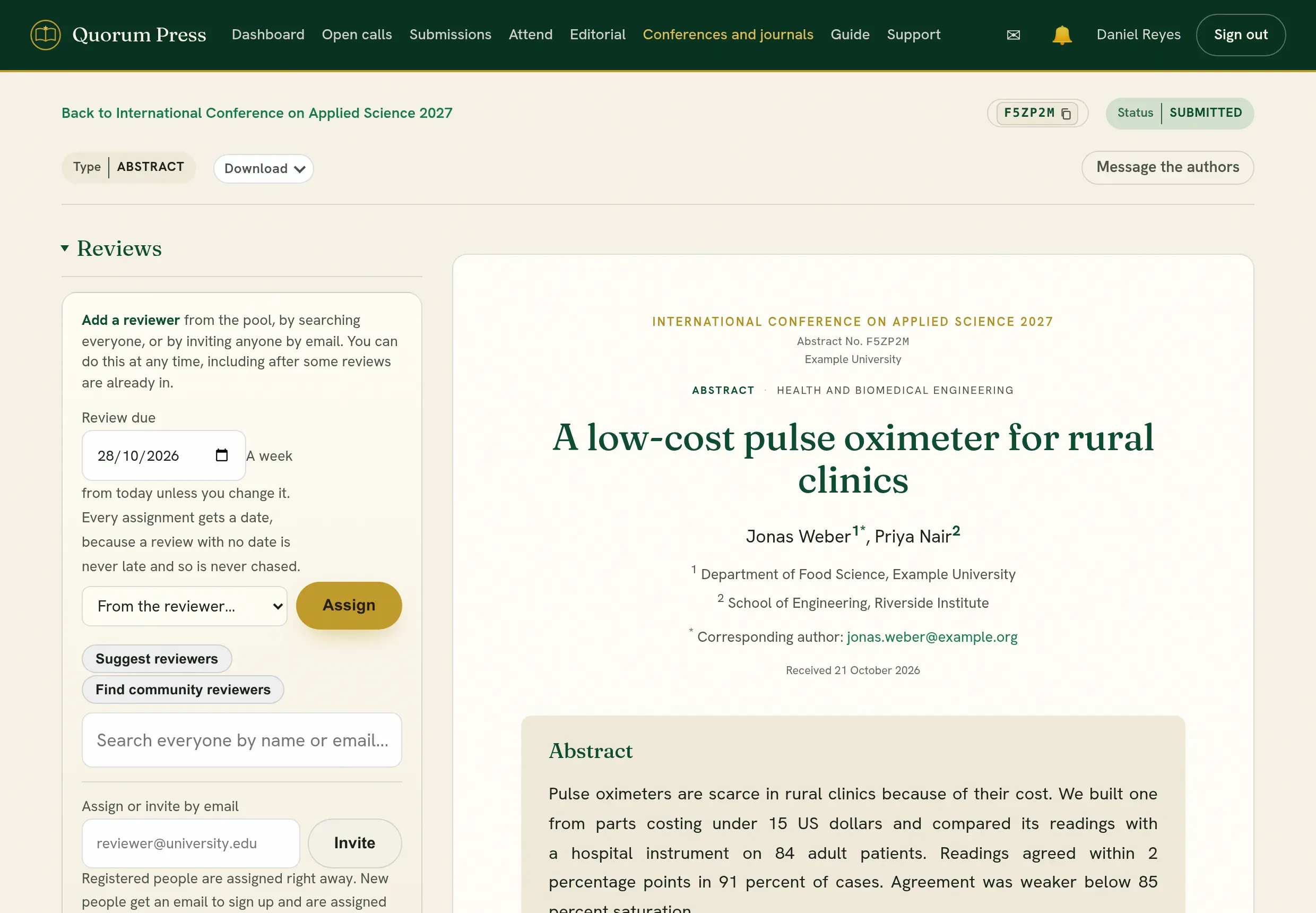
Assign
Section titled “Assign”-
Set the date the review is due. It starts at a week from today. Every assignment gets a date, because a review with no date is never late and so is never chased.
-
Choose the reviewer, in one of four ways:
Way Use when From the reviewers here The person is already in your pool of reviewers. Suggest reviewers You want people whose expertise matches the submission. Find community reviewers You need more reviewers: people who offered to review for any conference or journal. Search everyone You know the person’s name or email. -
Press Assign. The reviewer is told by email and by an alert.
Invite someone who has no account
Section titled “Invite someone who has no account”Enter their address under Assign or invite by email and press Invite. A person with an account is assigned at once. A new person gets an email to sign up, and is assigned once they confirm.
How many reviewers?
Section titled “How many reviewers?”| Kind | Reviewers | Why |
|---|---|---|
| Abstract or poster | Two | Short to read. Two views are enough to decide. |
| Full paper | Two or three | Three lets you decide when two disagree, and covers a review that never arrives. |
| A revision | The same reviewers | They know what they asked for. |
| Work outside your own field | Three | You cannot settle a disagreement yourself. |
One review is one person’s opinion. Decide on one only when the second cannot be had and the date cannot move, and say so in your letter.
Choose reviewers who can judge it
Section titled “Choose reviewers who can judge it”A good reviewer for a submission is a person who knows the subject, has no stake in the result, and will send the review on time.
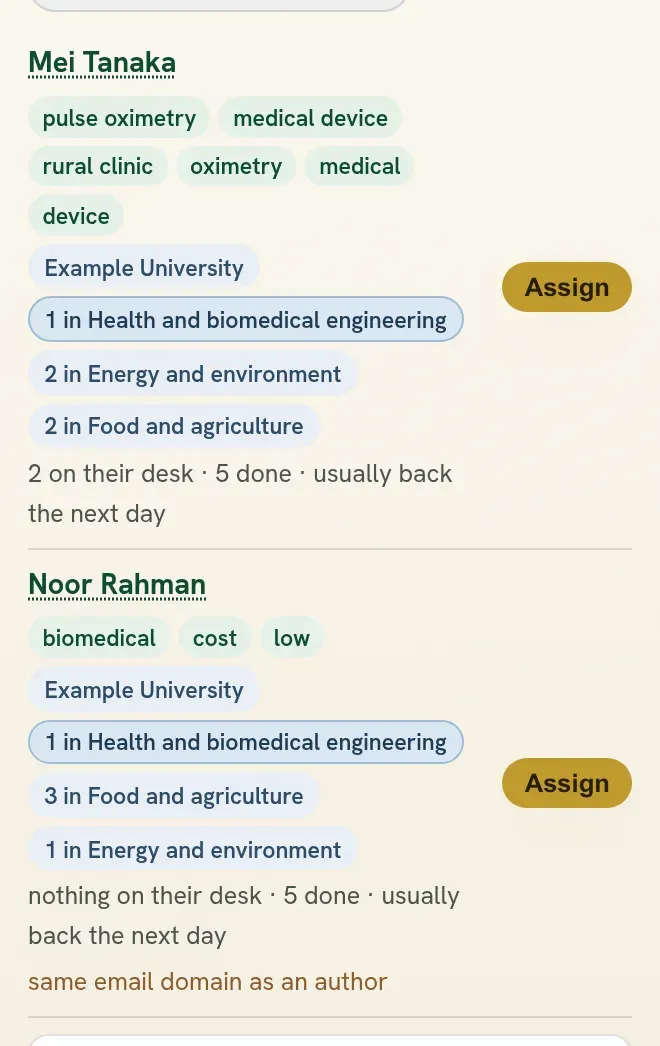
Press Suggest reviewers. Each person offered comes with what you need to choose:
| Beside the name | What it tells you |
|---|---|
| Words in common | What the submission and this person’s work share. Nothing in common with this paper means they were offered for another reason, such as being free. |
| Themes they have reviewed | How many submissions they have reviewed in each theme, with this submission’s theme first. |
| What they hold | Nothing on their desk, or how many reviews they are doing now. A person already holding four or more is slow to answer. |
| How they have done | How many days they usually take, and whether they have turned reviews down. |
| A warning in red | Same email domain as an author or shares an affiliation with an author. Choose someone else. |
Press a name to see more: their affiliation, what they work on, their degree and what they have published here.
Then use your judgment:
- Subject first. A reviewer who knows the method and the field writes a review the authors can use. A free reviewer who does not know the subject does not.
- Match the level to the kind. For a full paper, prefer people who have published in the field. An abstract can be read well by an able early researcher. To offer only people with a degree, set Minimum reviewer degree on the conference or journal.
- Mix them. One experienced reviewer with one earlier in their career gives two different readings, and trains the second.
- Different places. Do not take every reviewer from one institution, and not all from your own.
- Spread the work. The board’s By reviewer view shows who has many reviews and who has none. Ten reviews for one willing person means ten late reviews.
- Give enough time. A week is fair for an abstract. A full paper needs two to four weeks. Set the date before you assign.
Conflicts of interest
Section titled “Conflicts of interest”- An author of a submission cannot be assigned to it.
- Do not assign a reviewer from the same department as an author, a recent co-author, or a supervisor or student of an author.
- If the authors suggested reviewers, treat that as information. You choose.
Follow the reviews
Section titled “Follow the reviews”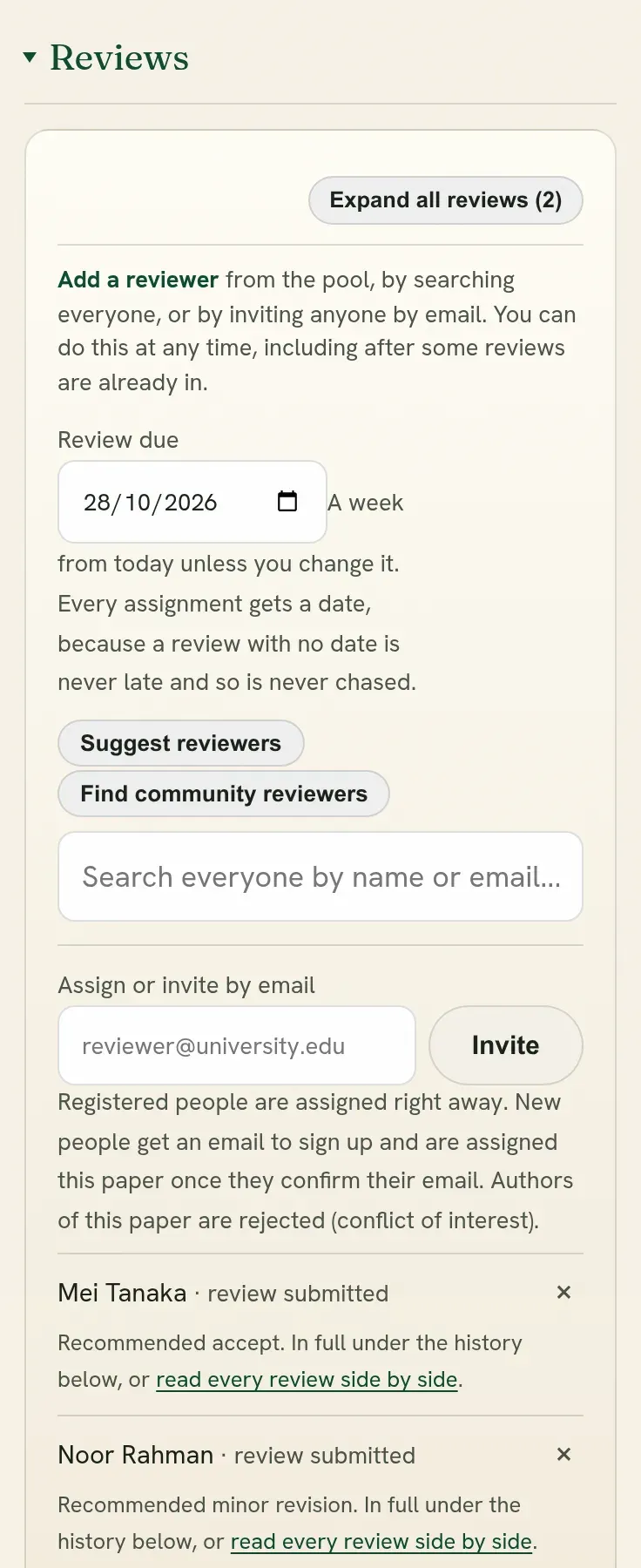
Under Reviews, each reviewer shows as assigned, submitted or declined. On the board, the Reviews column shows how many are in.
- A reviewer who declined gives a reason. Assign someone else.
- A reviewer who is late: the board’s By reviewer view shows who is late. Write to them, or assign another.
- Remove a reviewer with the cross beside their name. They are told there is nothing further to do.
- A reviewer whose review is already in. The cross warns that their review leaves the paper with them: from its history, from the reviews the decision rests on, and from the counts of reviews done. Tick I mean to take their sent review off this paper as well before Take them and their review off can be pressed. A review that arrives while your page is open is never taken off from that page: open the page again to see it first.
- Who did it. A removed reviewer’s line says when they were taken off and by whom. Where a review they had sent went with them, it says so, and Put them back, with their review restores it as it was: the scores, notes, comments and the day it was sent. The reviewer is not told.
- When you write to a reviewer, give the tracking code. Reviewers see the code on each manuscript they have, and can search for it. On a call that reviews without names it is the one safe way to say which manuscript you mean.
You can add reviewers at any time, including after some reviews are in.
Later rounds
Section titled “Later rounds”When authors send a revision, it returns to the same reviewers by default. Untick Continue with the same reviewers on the submission to choose by hand.
Quorum PressOpen callsRead researchSomething missing or wrong here? Tell us