
Revise and resubmit
Revision requested means the editors want changes before they decide. It is not a rejection.
-
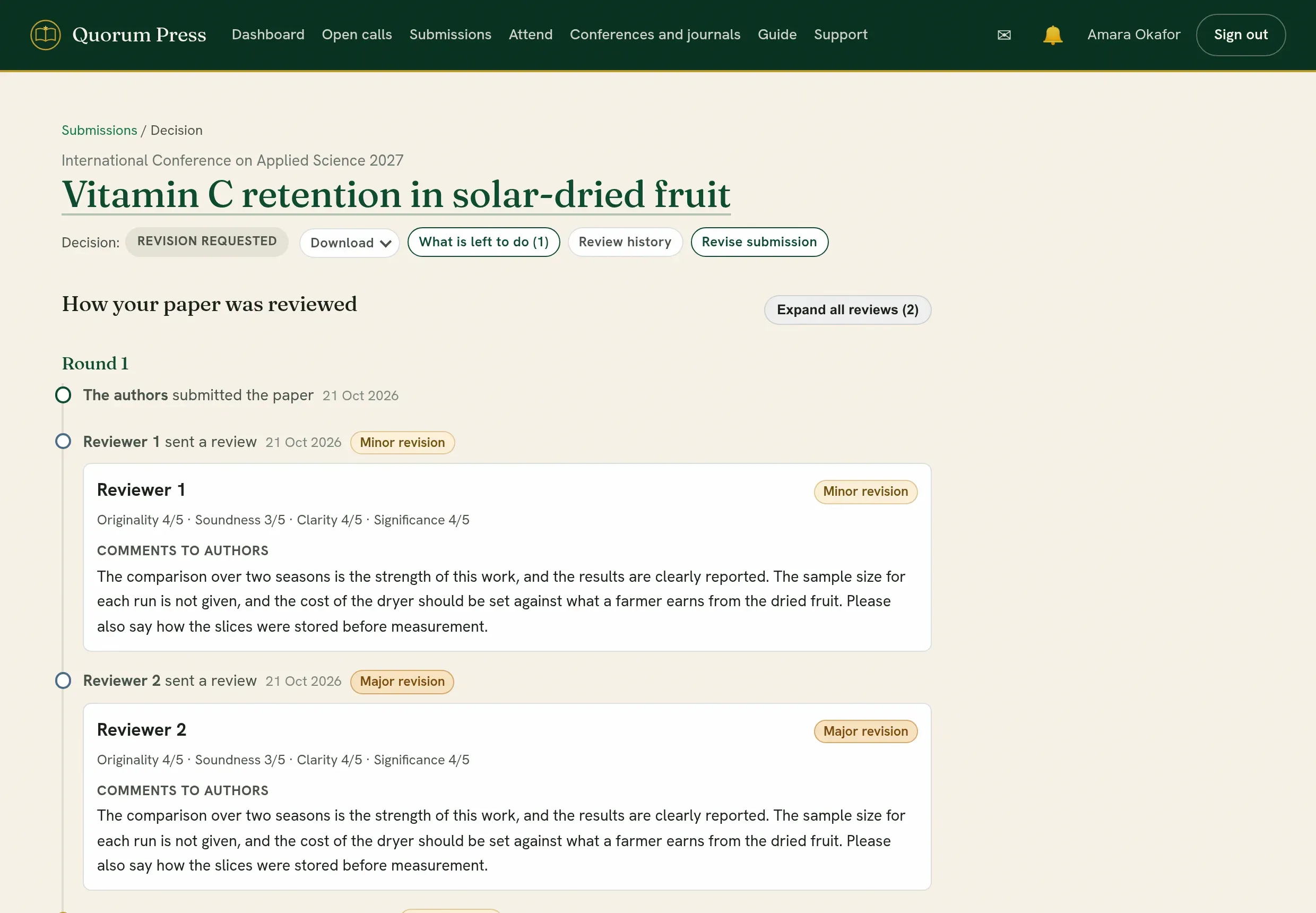
Open the submission. The top of the editor says it was sent back for changes, with a link to the reviews.
-
Read the editors’ letter and every review on the decision page. Reviewers are shown as Reviewer 1, Reviewer 2 and so on, unless the call reviews in the open.
Where a reviewer highlighted passages of your work, a button under their comments takes you down the page to your work with the highlights on it. Point at a highlight, or tap it, to read the note.
-
Press Revise submission. Your work is open for editing again.
What you submitted before is kept frozen, so the editors and reviewers can see exactly what changed.
-
Answer each reviewer. Say what you changed, and where. If you did not make a change that was asked for, say why.
-
Press Preview, read it, then Submit for review.
The submission goes back as Round 2. By default it returns to the same reviewers, who see their earlier review, your reply, and the changes you made.
Writing a good reply
Section titled “Writing a good reply”- Answer every point, in the reviewer’s order.
- Quote or name the place you changed: “Section 3, second paragraph”.
- Be direct and polite. A short, exact reply is read more gladly than a long one.
If you need more time
Section titled “If you need more time”Write to the editors with Message the editorial team before the date passes.
Quorum PressOpen callsRead researchSomething missing or wrong here? Tell us