
Find a call and start a submission
Find a call
Section titled “Find a call”Open calls lists the conferences, journals and workshops that are taking submissions now. Each call shows what it accepts, its themes and its dates. You can read a call without an account.
If an organizer sent you a link, it opens their call directly.
Sign in with the address you want on the paper, your institutional one if you have one, and list each co-author with the address their own account uses. See Which email address to use.
-
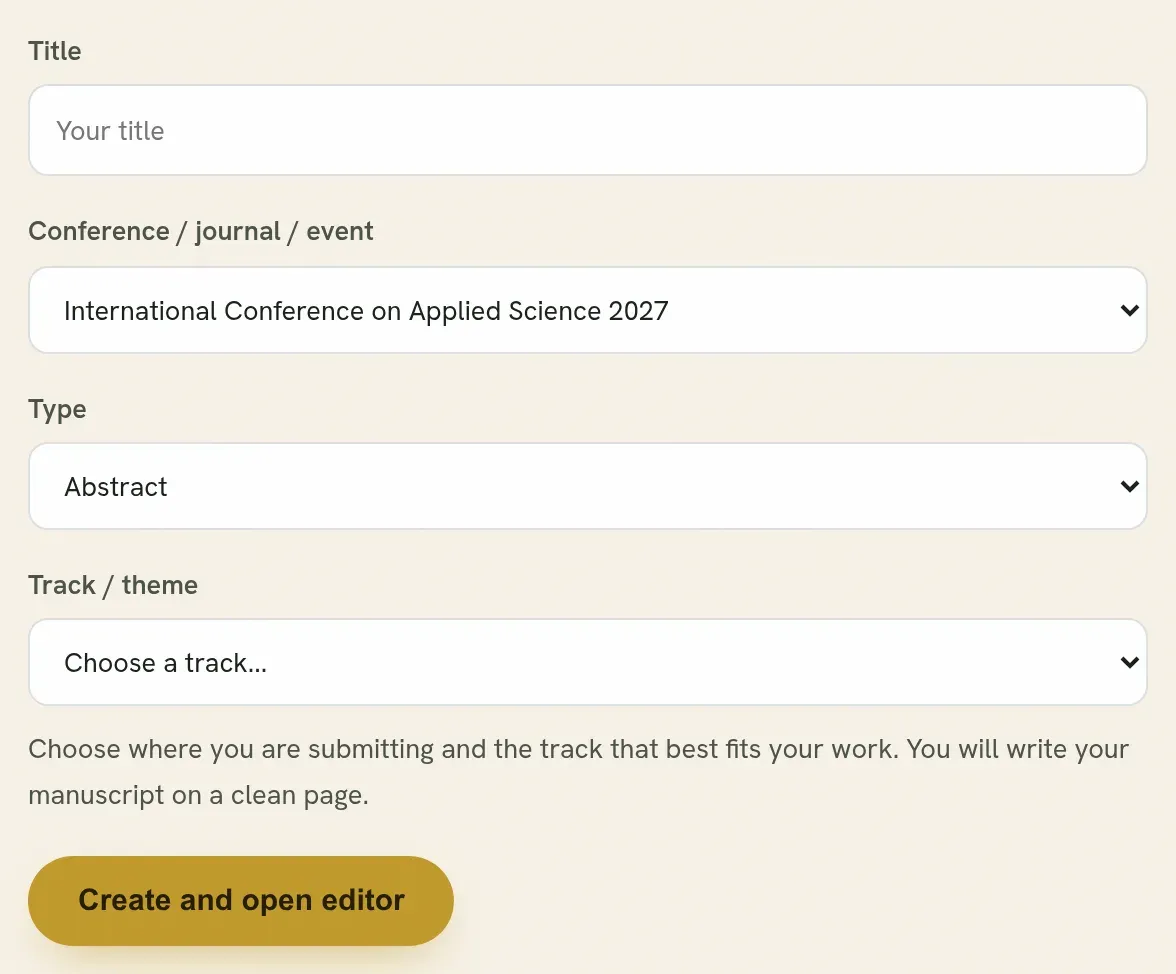
On the call, press Submit. Or, when signed in, open Submissions and press Start a submission.
-
Give it a title. You can change it later.
-
Choose the conference, journal or event you are submitting to.
-
Choose the type: a full paper, an abstract, a poster, or another kind the call accepts.
A call lists only the kinds it takes. If a kind you expected is missing, the call is not taking it, or it has closed for that kind.
-
Choose a track or theme, if the call has them. Pick the one closest to your topic. The editors can move it later.
-
Press Create and open editor. You arrive in the editor with a clean page.
Your work is saved as you type. Nothing is sent to anybody until you press Submit for review.
Not sure where to send it yet?
Section titled “Not sure where to send it yet?”Start it under the free Quorum Press Community and move it later. While a submission is still a draft, Move to another call sends it to any open call.
Starting something close to work you already sent
Section titled “Starting something close to work you already sent”If you start a submission on a call where you already have one with a very similar title, you are told before you go further. This is usually one of two cases:
| Case | What to do |
|---|---|
| Your abstract was accepted and you are now asked for the full paper. | Do not start a second submission. Open the accepted abstract and turn it into a full paper. See From abstract to full paper. |
| You want to present the same work as a talk and as a poster. | Ask the organizers first. Most events take a piece of work once. |
Two submissions of the same work look like duplicates to the editors and slow both down.
Change the kind before you submit
Section titled “Change the kind before you submit”While it is a draft, the kind can simply be changed. The picker is beside the tracking code at the top of the editor, and it offers whatever the call accepts.
Quorum PressOpen callsRead researchSomething missing or wrong here? Tell us